Anyware FAQ
What is the purpose of the Anyware?
The Anyware is designed for e-shop merchants to automate their operations, eliminating the need for a traditional PC.
Who uses Anyware?
Anyware is used by E-shop merchants to automate their operations.
Sounds cool. What can it do?
Here are the tasks this little device can offer to assist you in:
- Forwarding orders to ERP systems to save data entry.
- Generating shipping labels automatically. No manual entry is required.
- Sending the tracking number to clients after shipping.
- RMA (import as order) is supported as well.
- Save more Manpower than you can imagine!
- Fetching Data automatically.
Which platforms are supported by your Automation system?
Our system supports major platforms, including Amazon, Etsy, eBay, Walmart, and other popular e-commerce stores.
How does Online Order Automation support work?
It digitizes your order management process, handling incoming orders automatically and enabling you to focus on scaling your business without manual intervention.
Can Automation handle multiple orders in a single day?
Absolutely! Our automation system efficiently processes large orders, ensuring timely management and fulfillment.
Does your system support offline order management?
Yes, we offer offline order support to streamline operations and maintain consistent order processing for both online and offline requests.
Does the Anyware require a computer to operate?
No, the Anyware operates without requiring a PC.
What are the benefits of using Anyware?
Key benefits include reduced workload, minimized human errors, faster order processing, and cost savings, giving you more time to focus on growth and customer satisfaction.
What platforms and carriers does the AirPrinter support?
It supports multiple carriers, including UPS, FedEx, USPS, and Amazon. It also integrates with marketplaces like eBay, Walmart, Etsy, and Shopify.
What other tools does Automation support?
Our system integrates with popular ERP tools like QuickBooks and NetSuite, enabling seamless synchronization with accounting and financial systems.
Is customization available?
Yes, we offer customization options to adapt the system to your specific business needs, including personalized workflows, labels, and processes.
How secure is your Automation system?
With robust device registration and secure access controls, your data and operations are protected while ensuring smooth interaction with the platform.
How does the Anyware benefit businesses?
The Anyware saves time, reduces the need for manual work, increases productivity, and minimizes human errors in order processing and shipping.
How does the Anyware improve shipping operations?
The Anyware processes orders, generates shipping labels automatically and sends tracking numbers to clients, streamlining the shipping process.




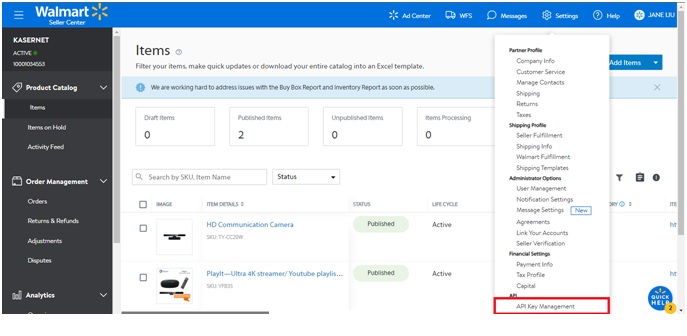 3. Click API Key Management.
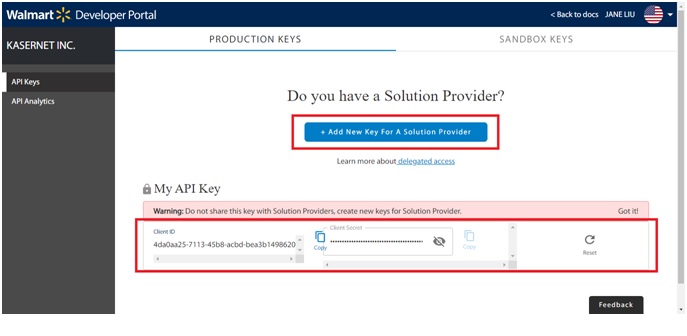
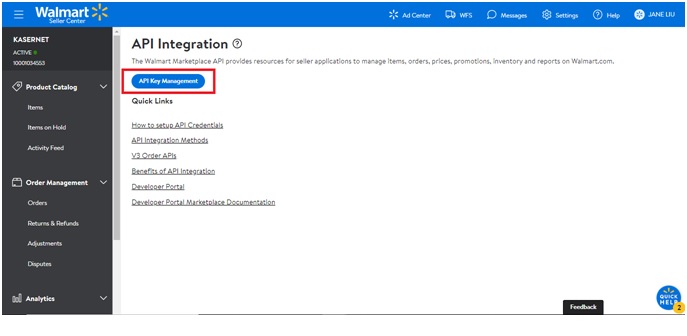 4. Add New Key or Copy and Paste Client Id and Client Secret Key
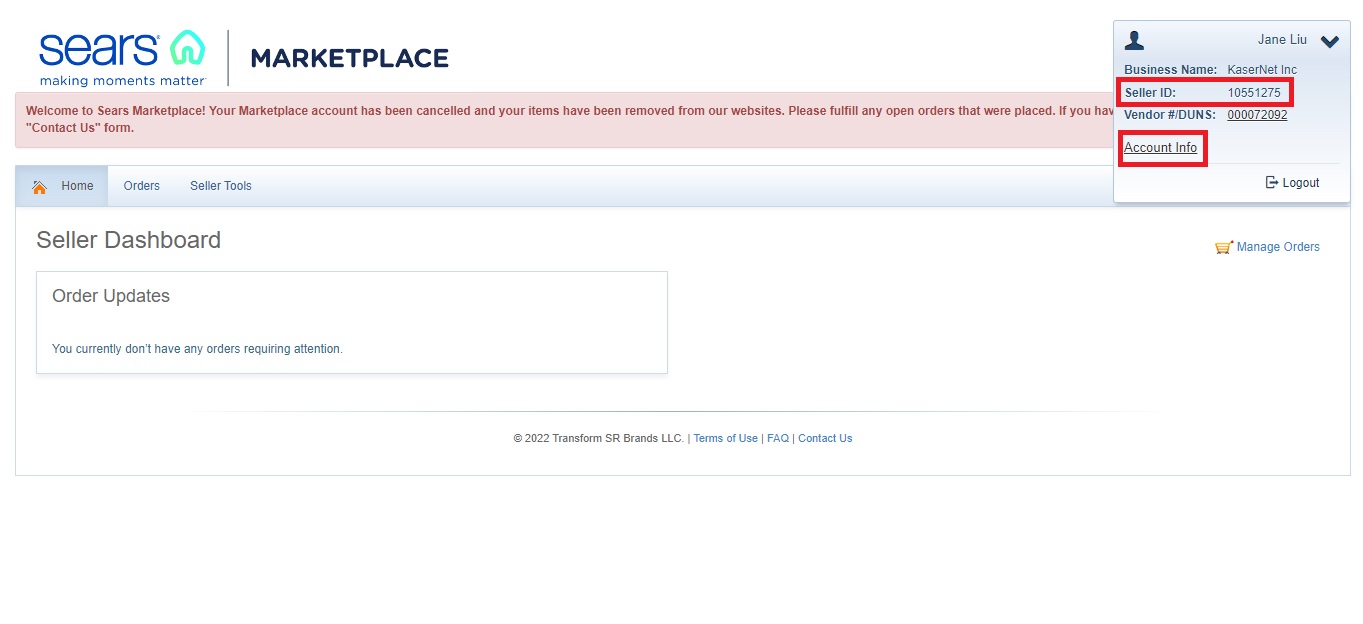 2. The Profile, and scroll to the bottom to generate an API Authorization Key and Copy Email Address.
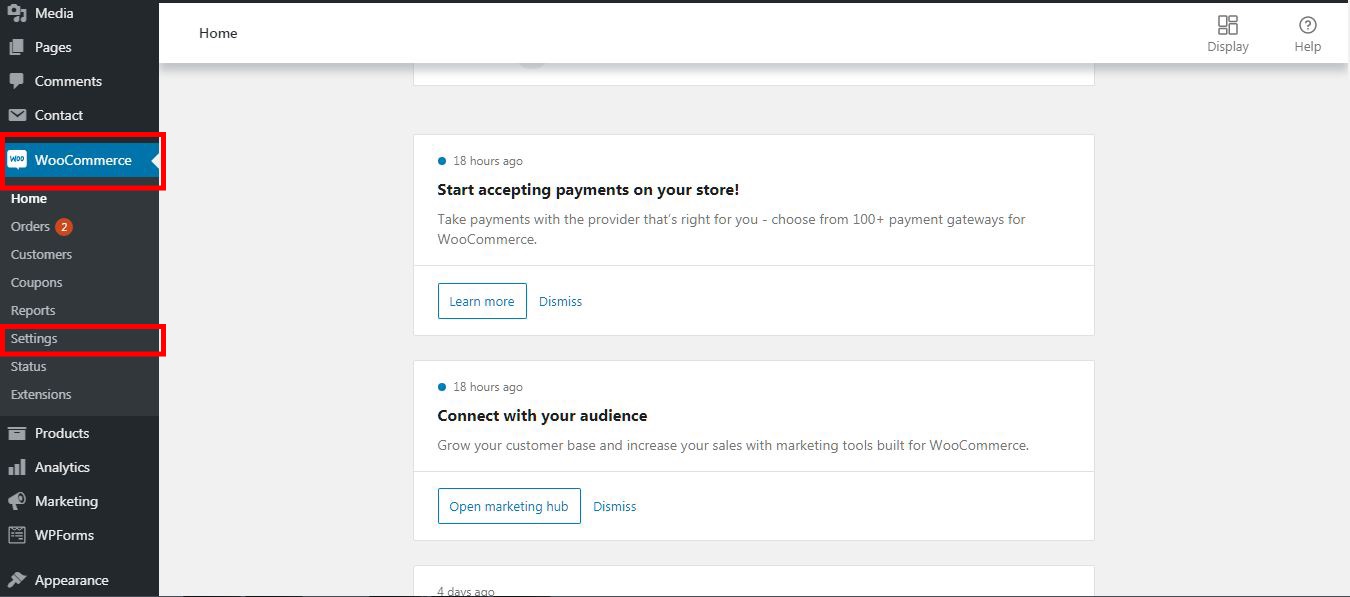 2. Click on Advanced tab
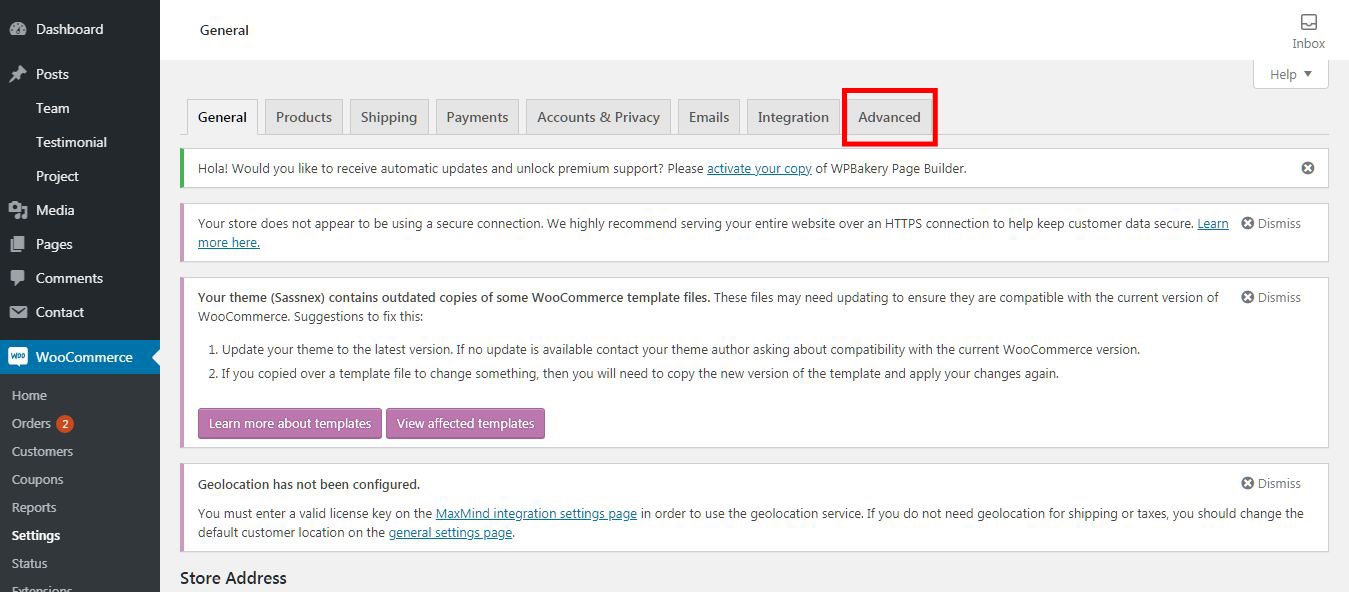 3.Click on Rest API
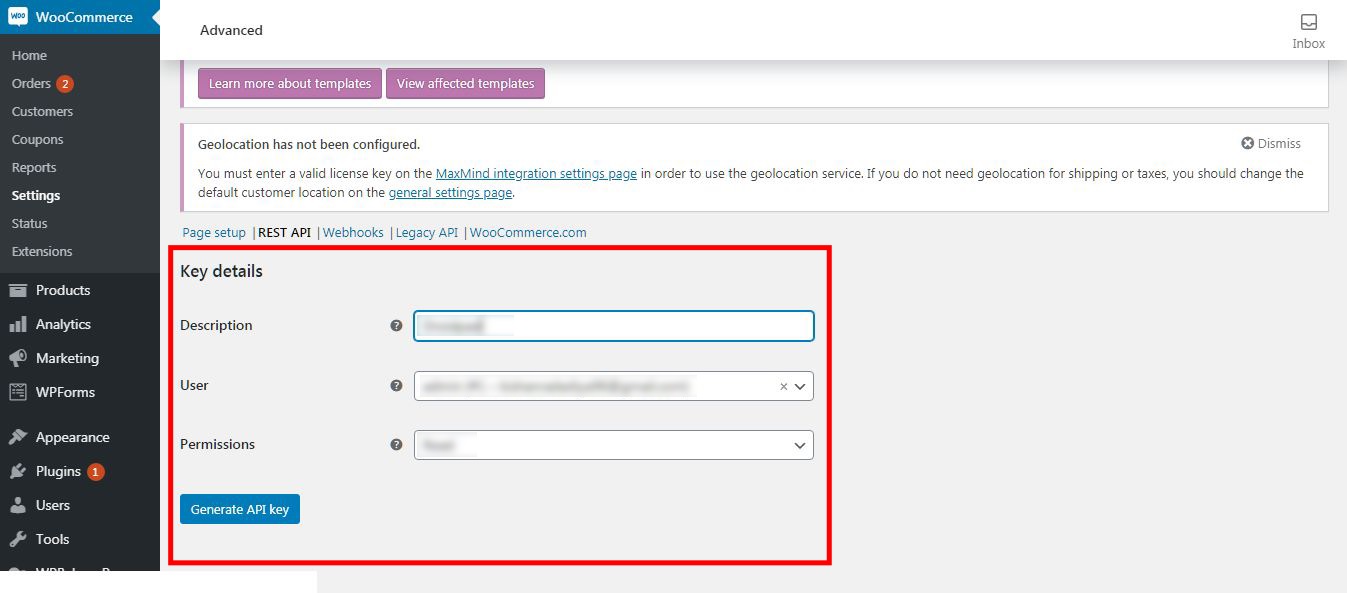
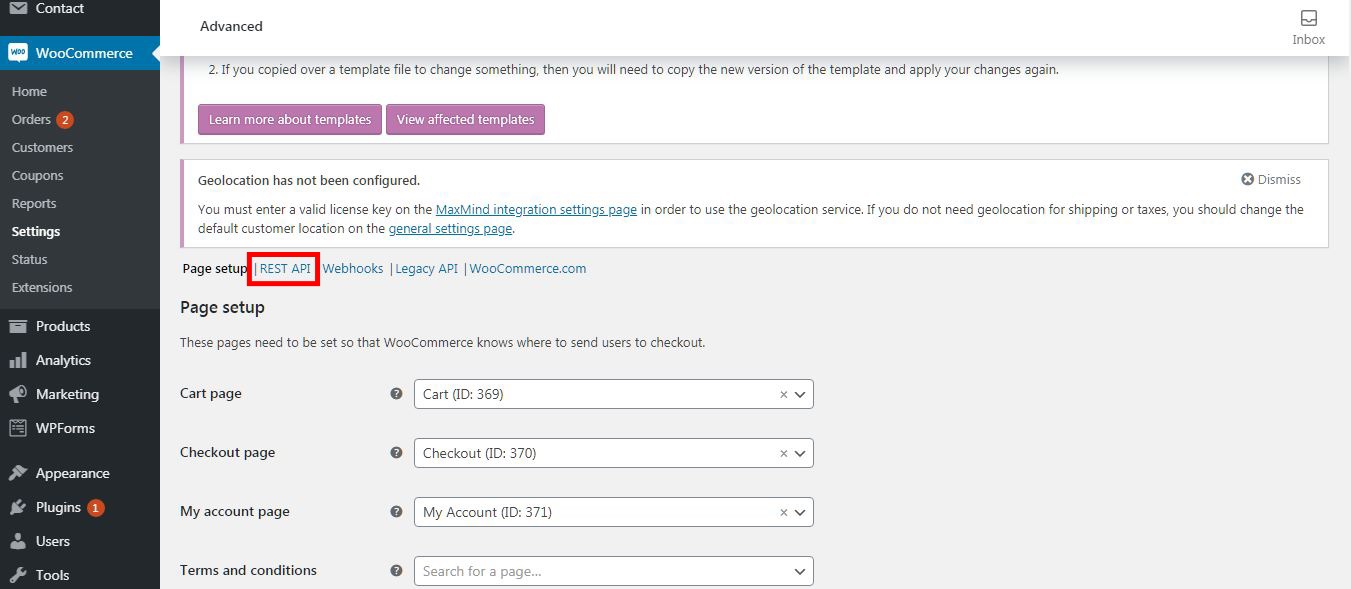 4. Click on Add Key Button
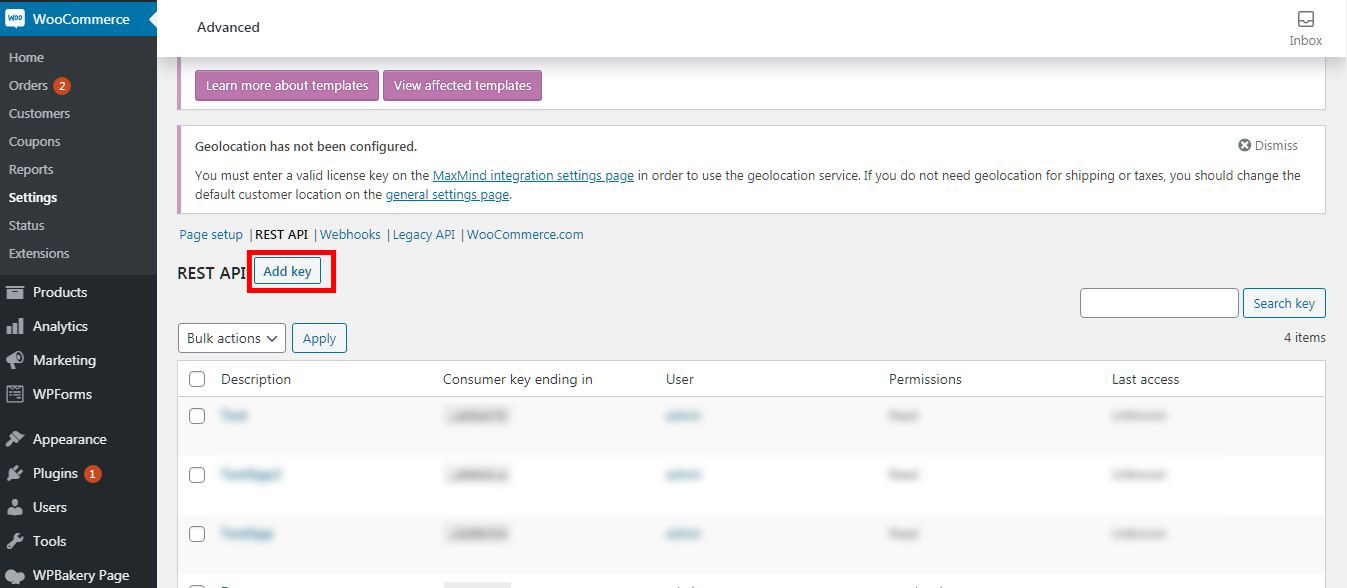 5. Enter all details and click on Generate API Key
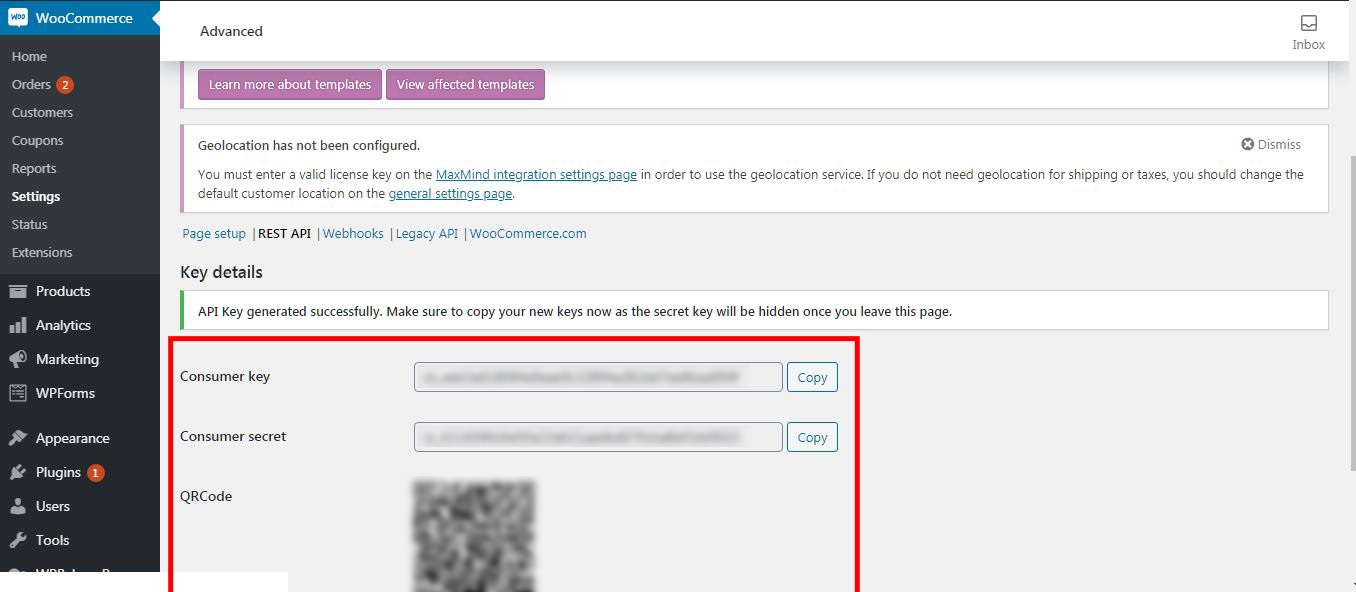
 6. Copy Consumer Key and Consumer Secret
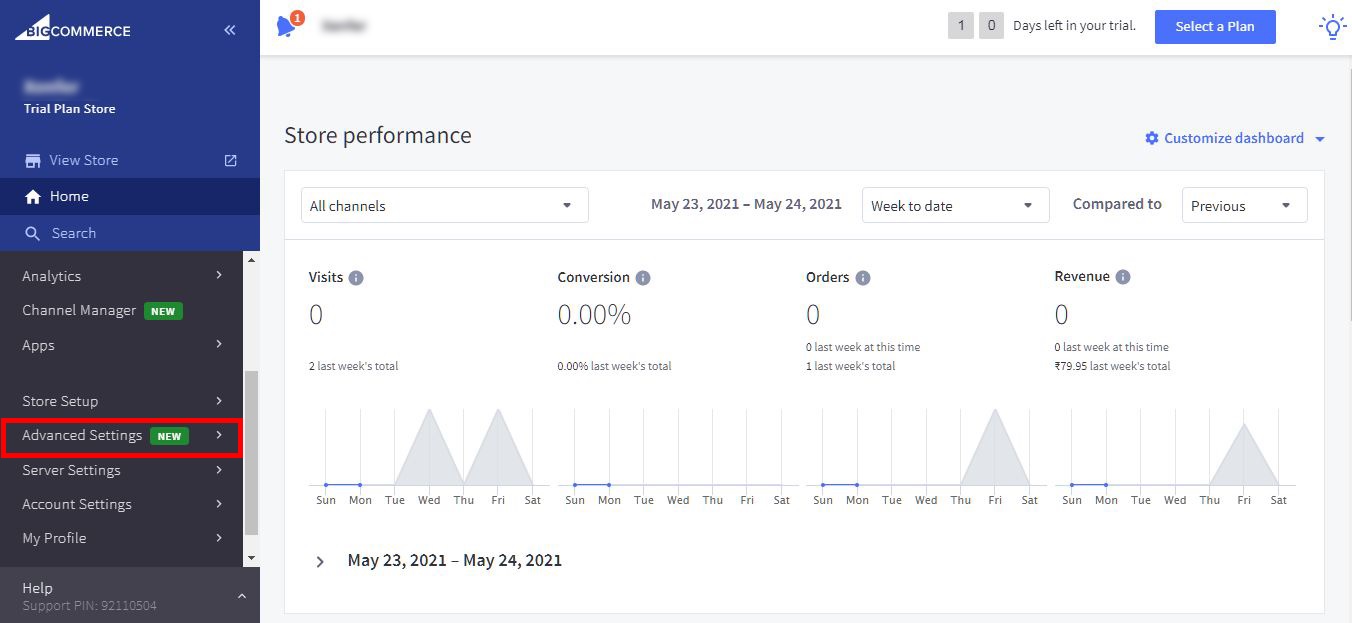
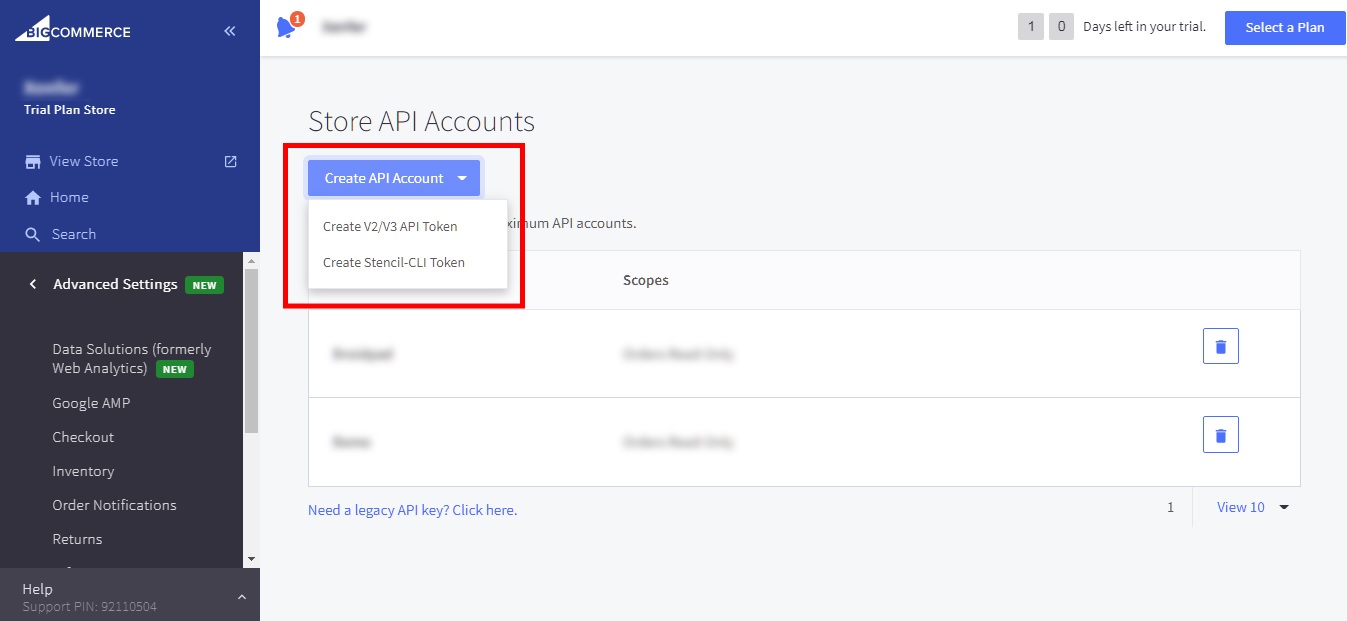
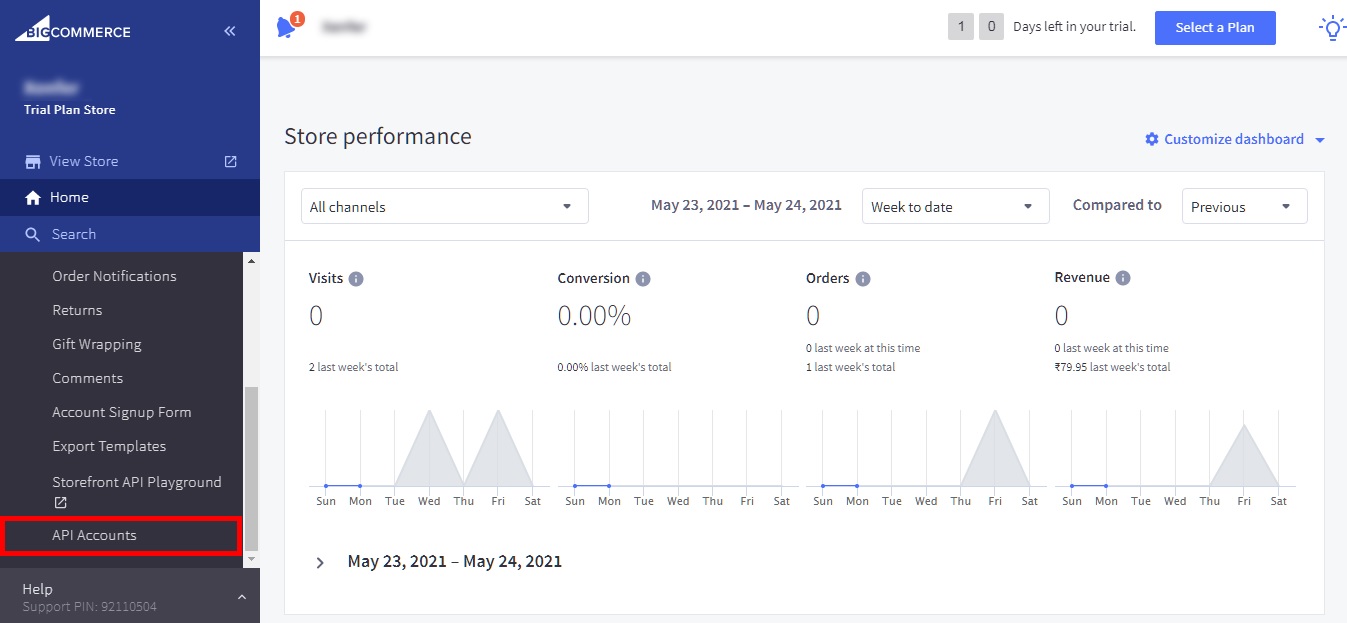 3.Click on Create API Account Button and Select Create V2/V3 API Token
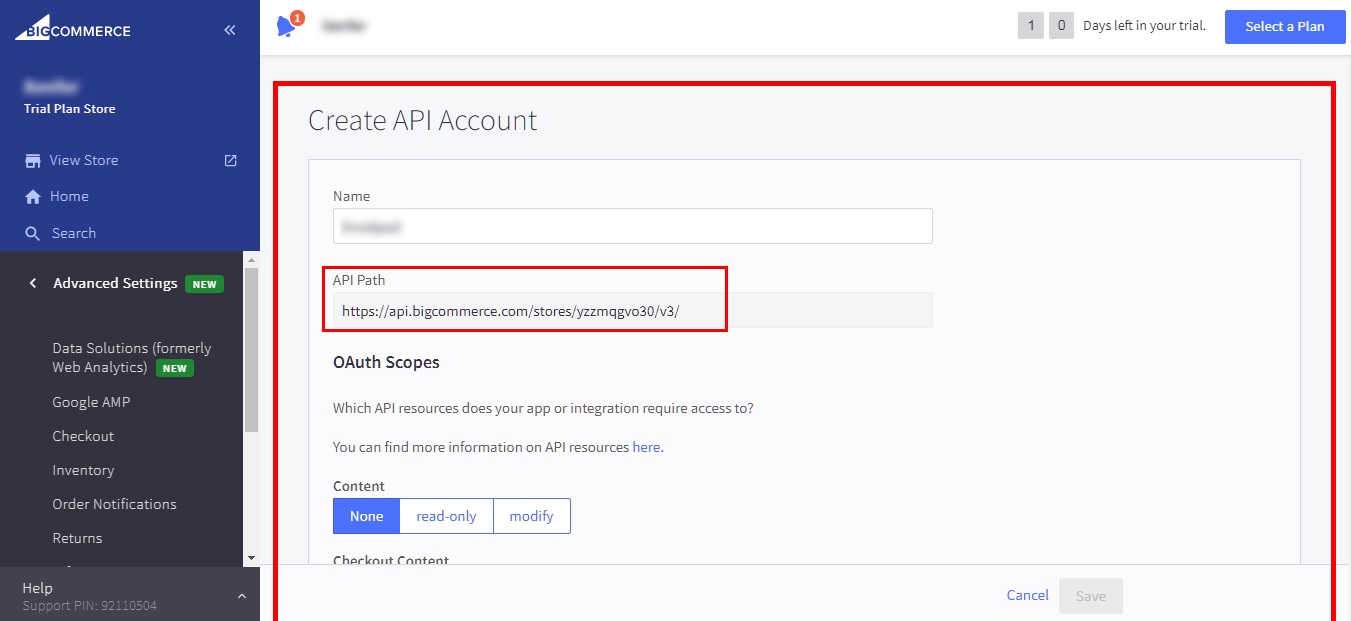
 4. Enter all fields required and Copy API Path.
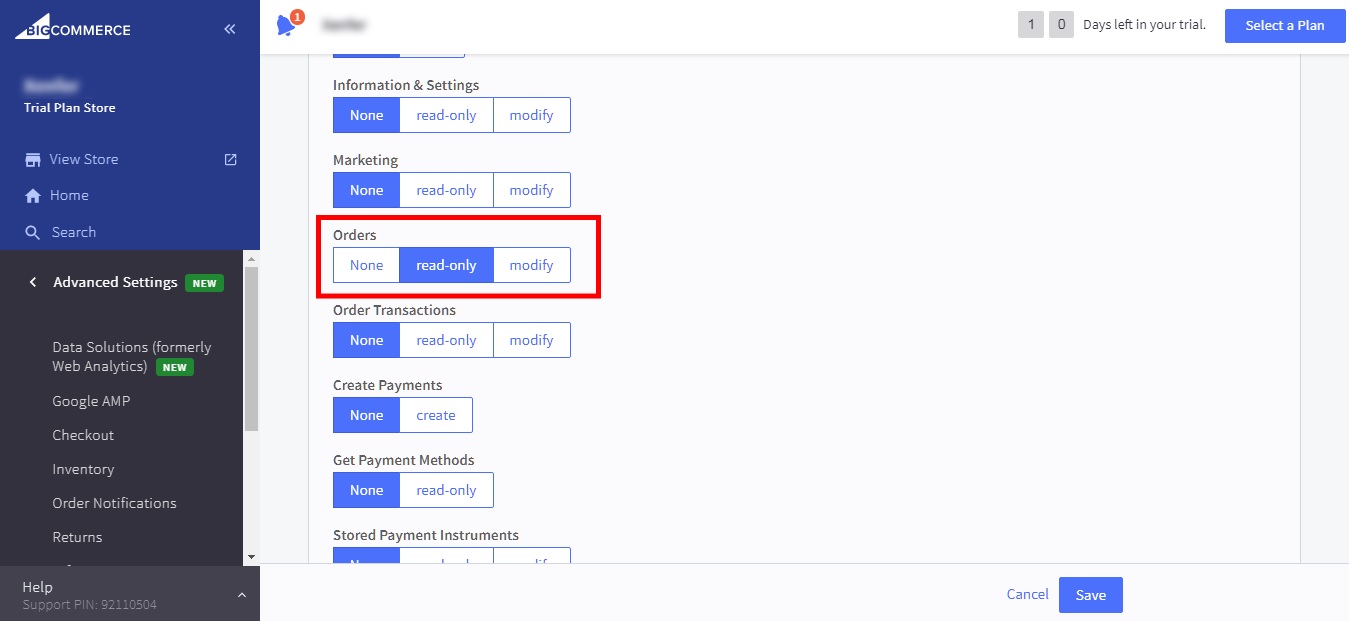
 5. Select Read-Only Option in Step Orders.
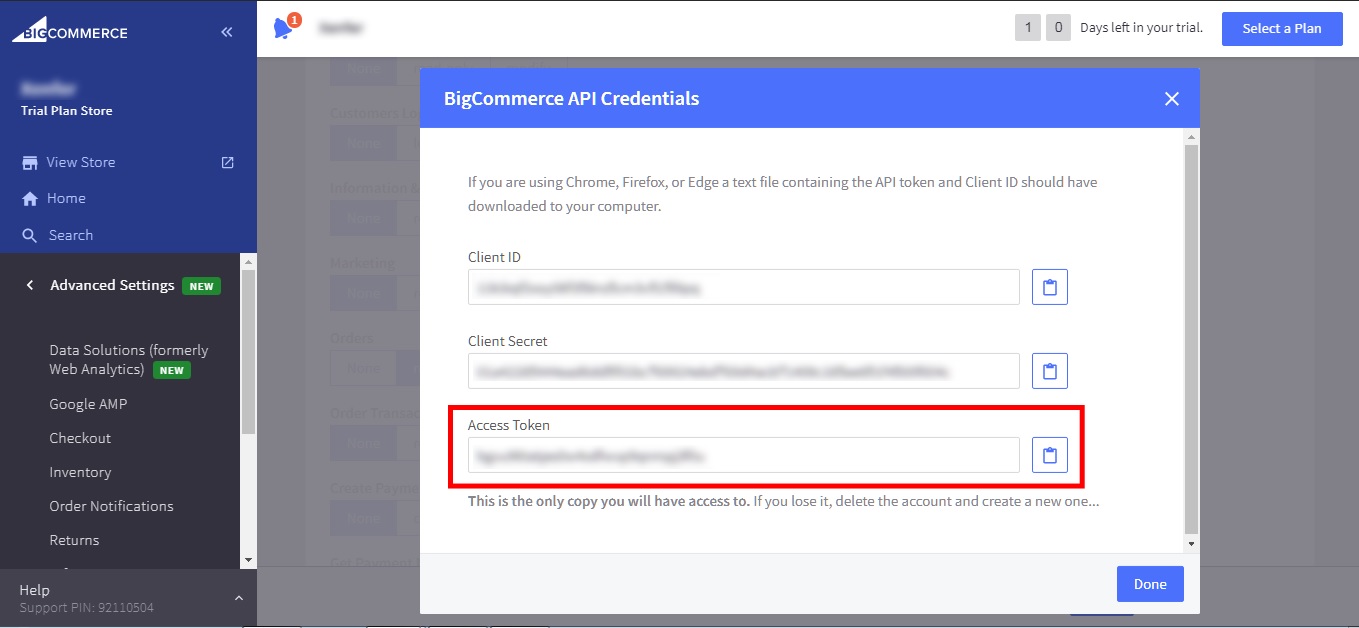
 6. Copy AccessToken Field
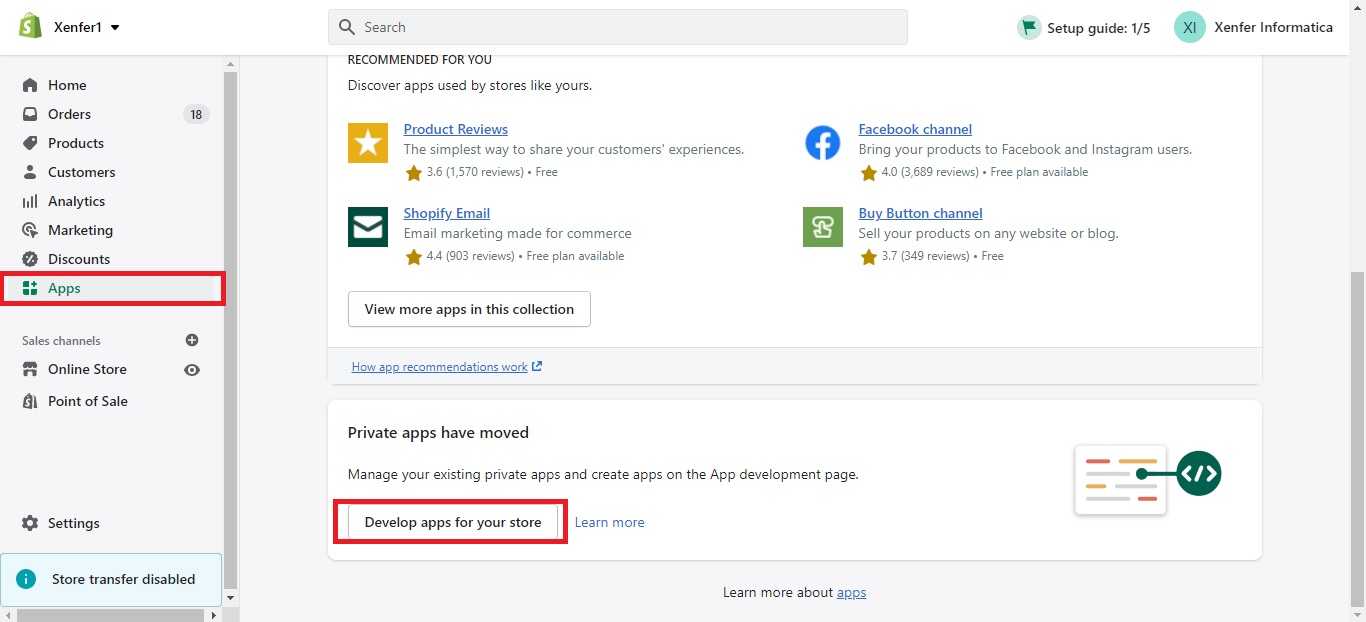
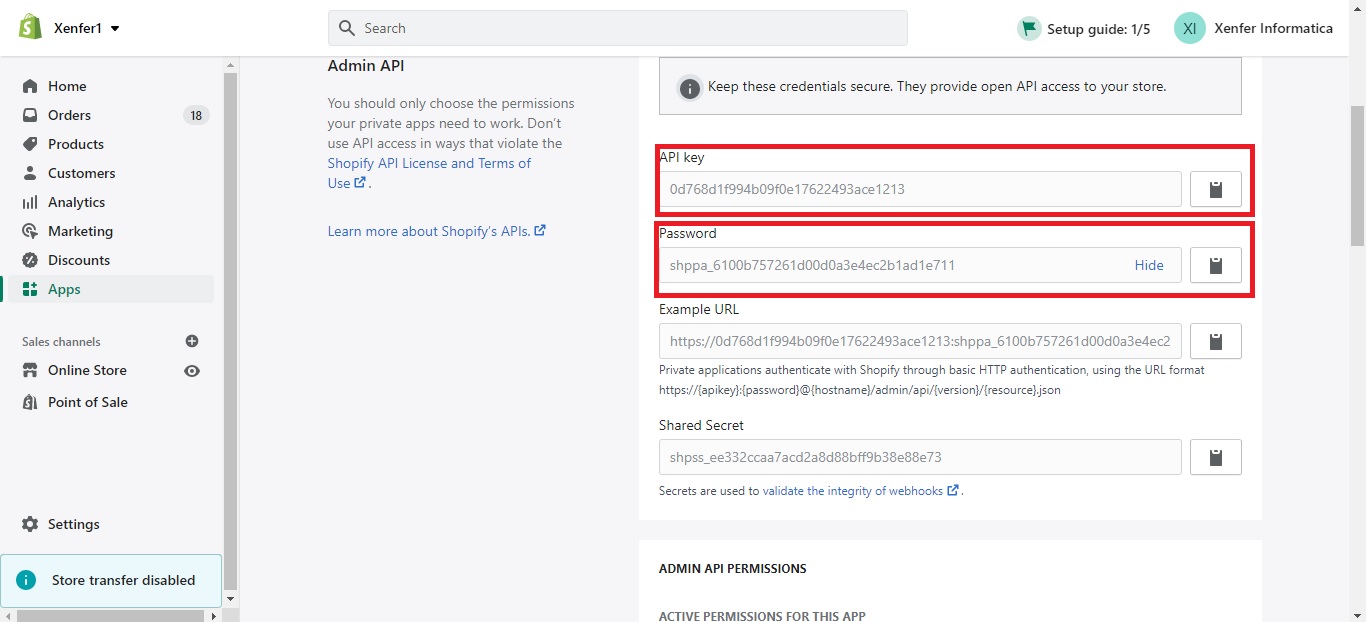
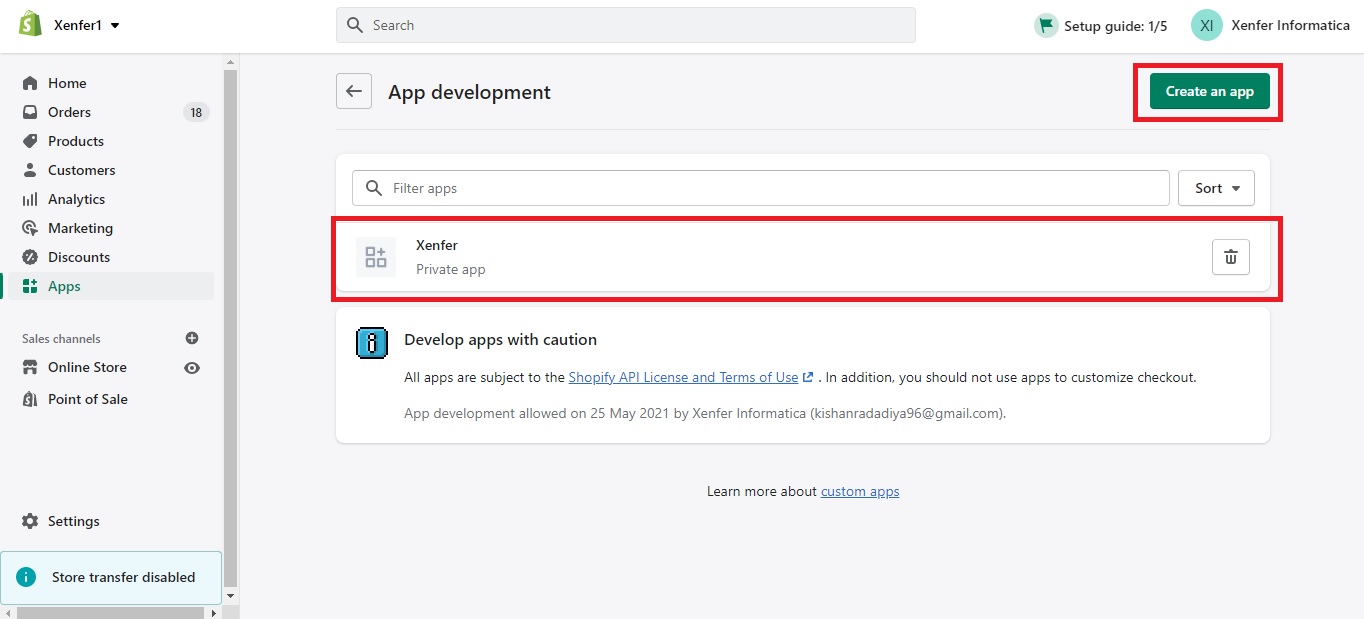 3.Copy API Key and Password.
shopify domain(apikey:password@storeName. myshopify.com)
3.Copy API Key and Password.
shopify domain(apikey:password@storeName. myshopify.com)
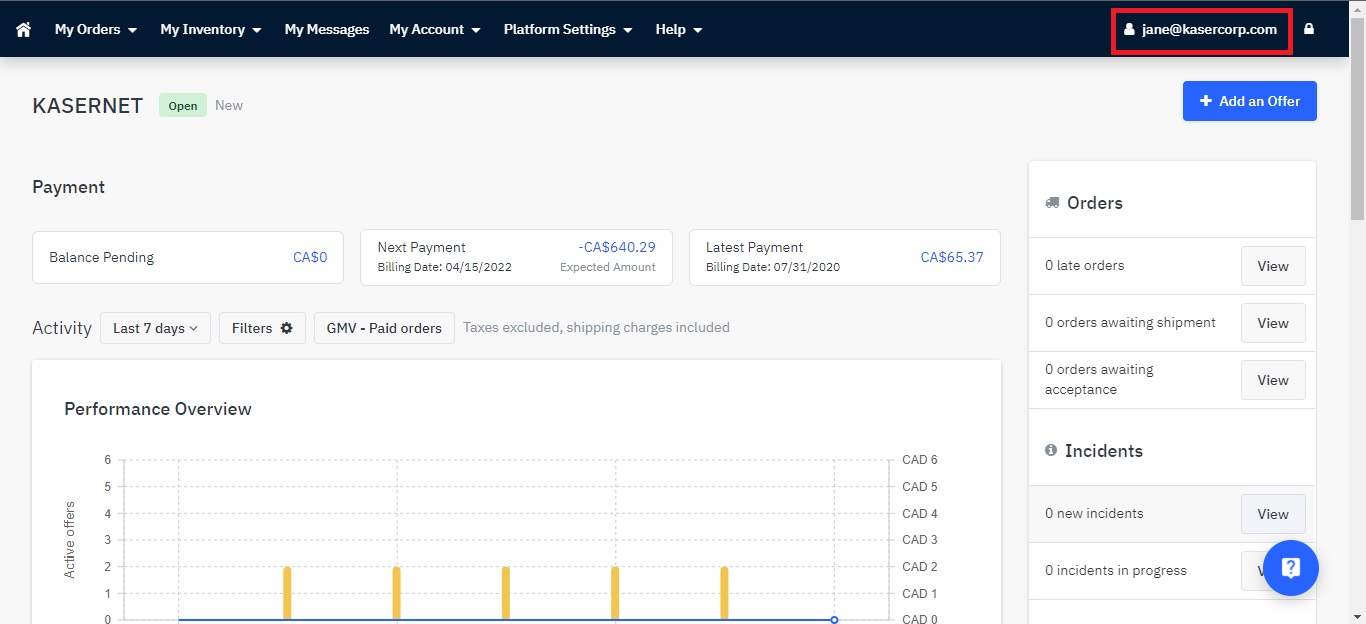
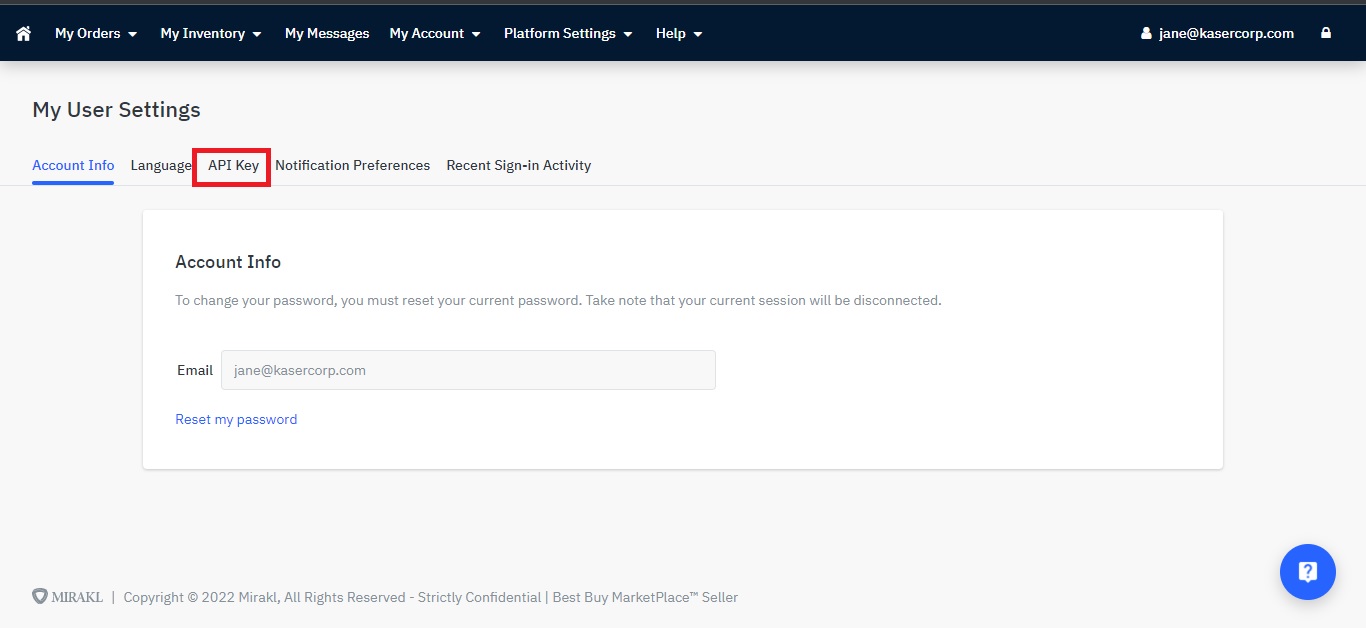 3.Copy and Generate API Key.
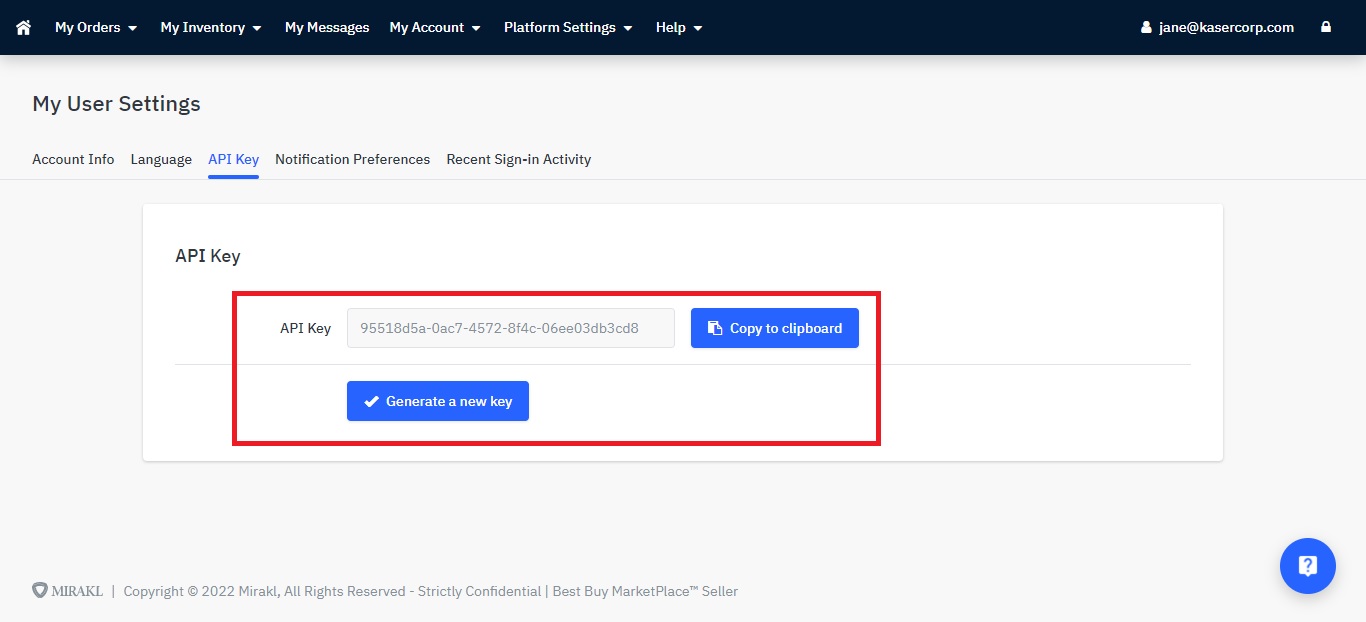
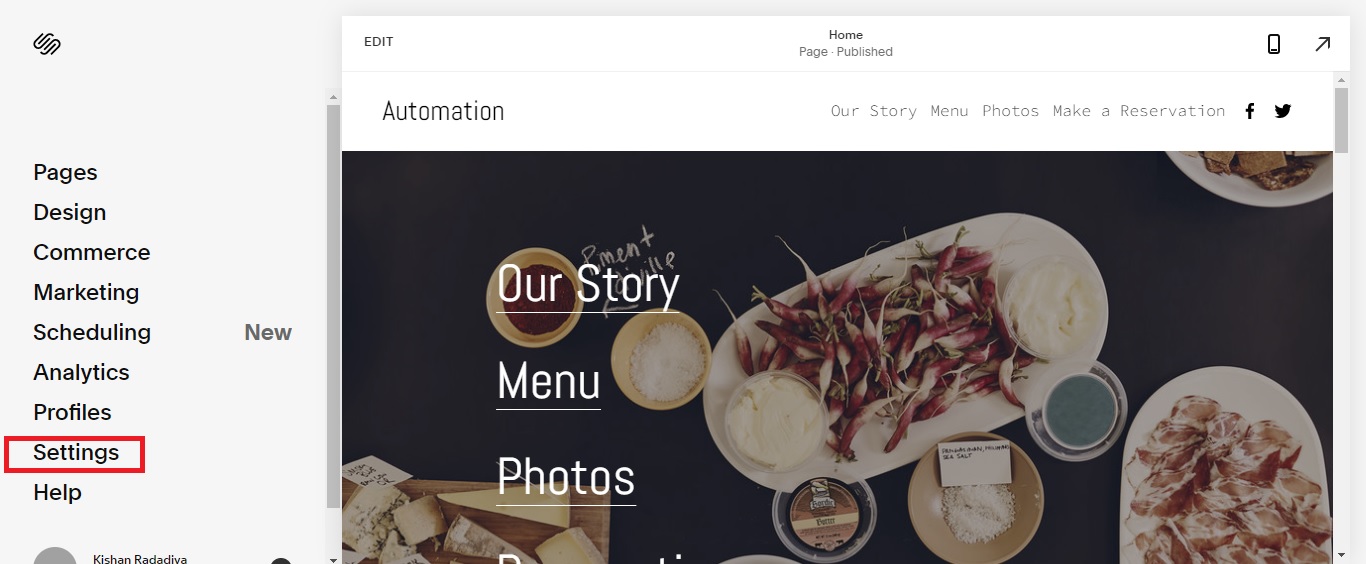
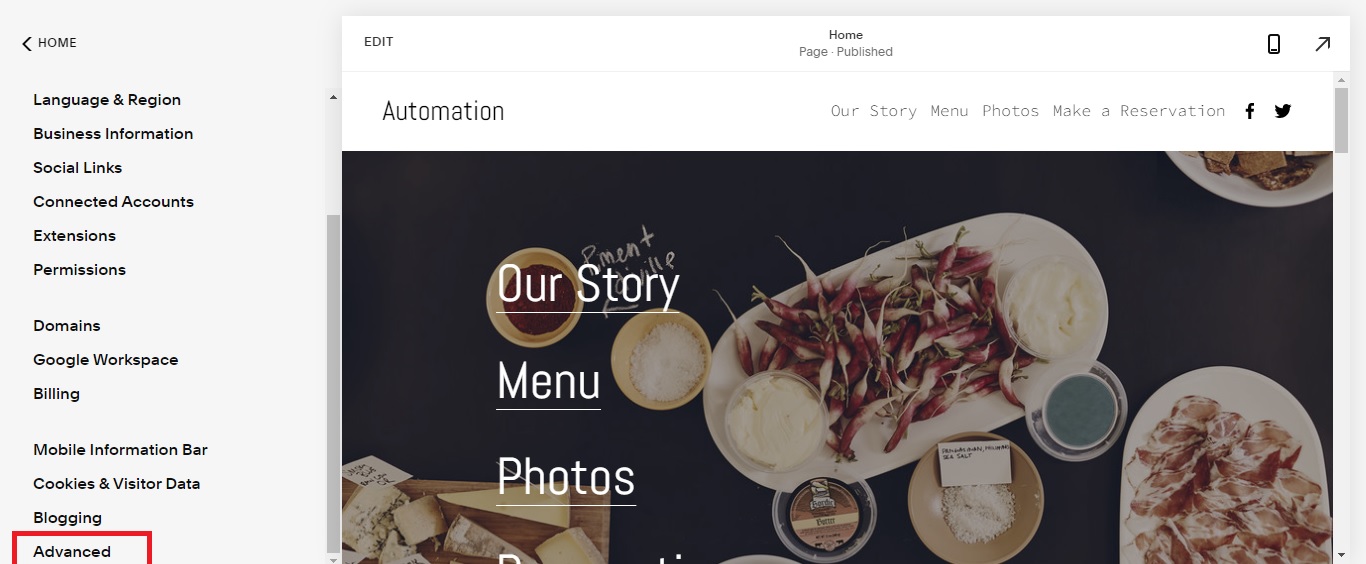 3.Click to Developer API Key option.
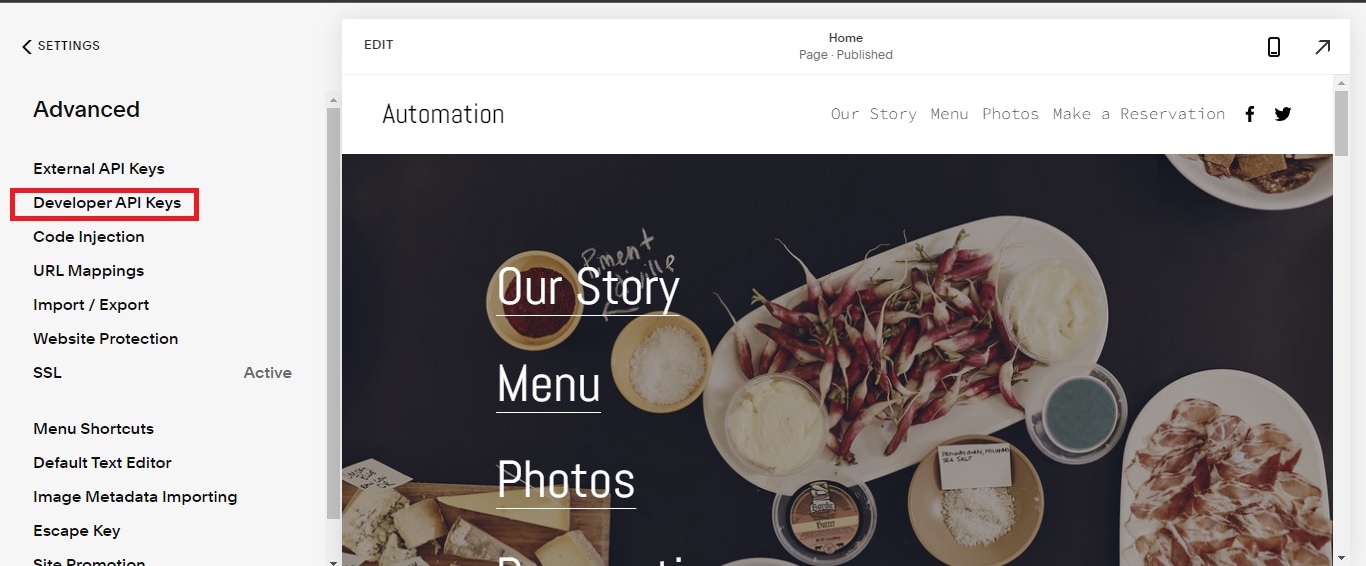 4. Click to Generate Key Button.
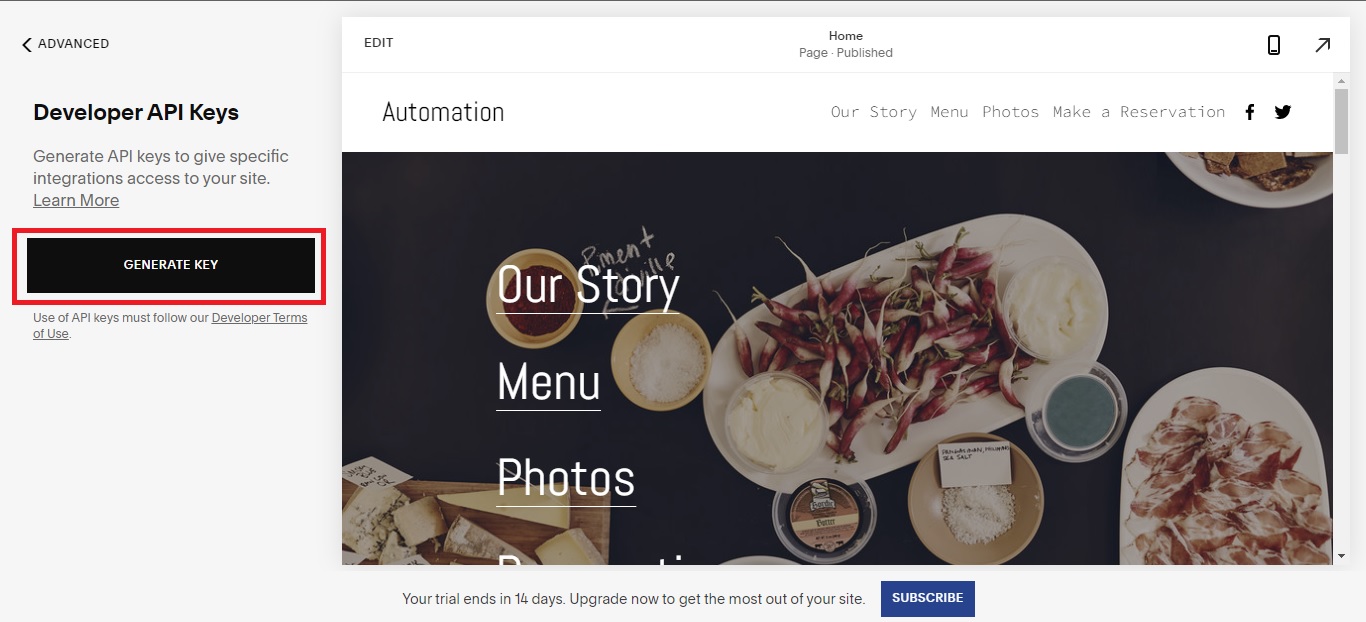 5. All filed fill and Generate Key button click.
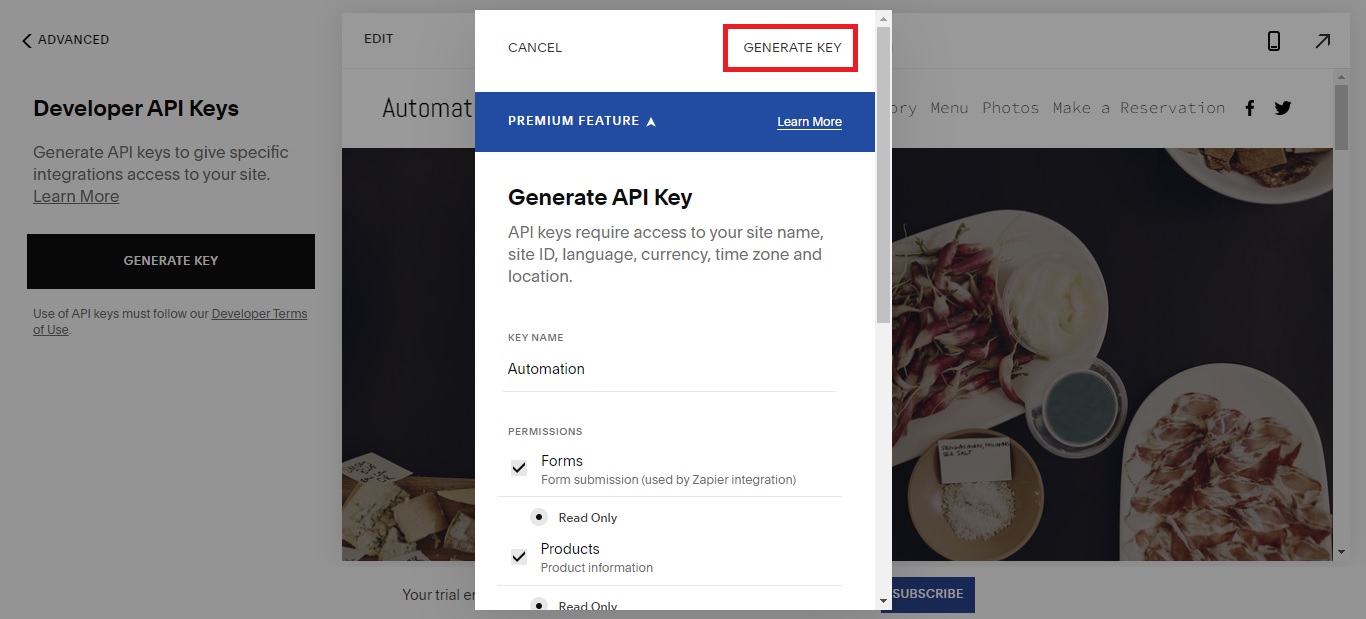 6. Copy API Key.
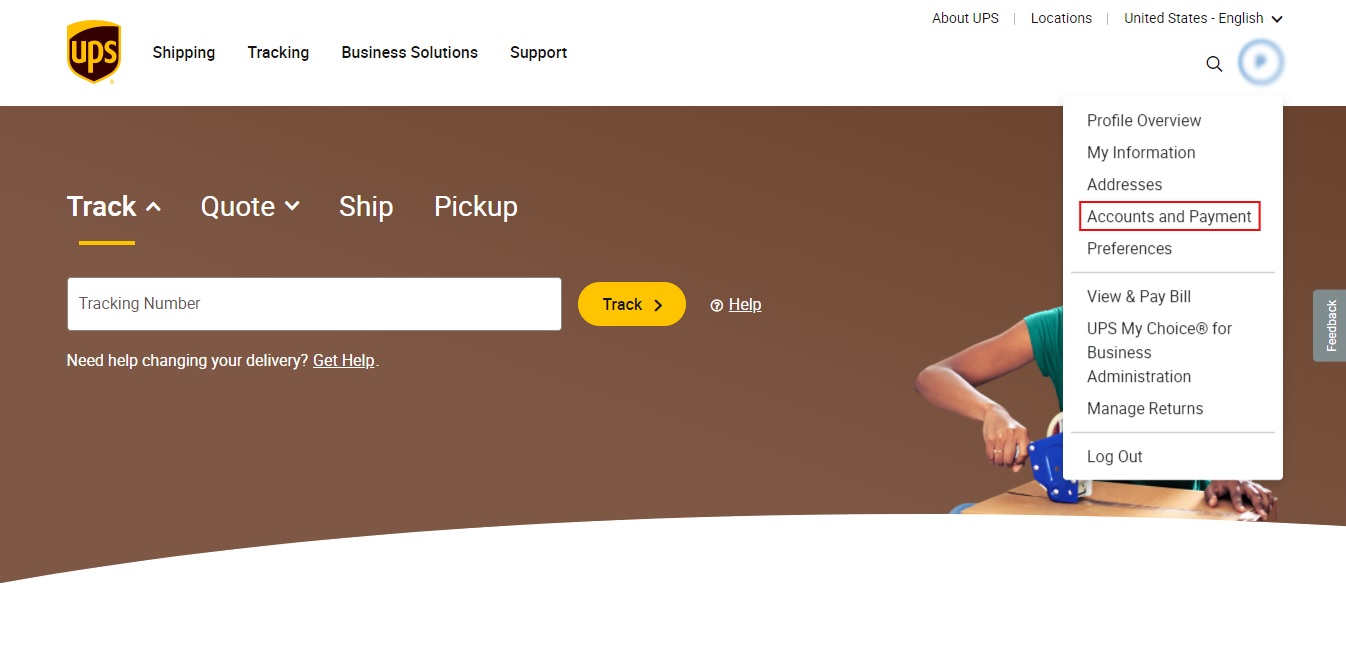
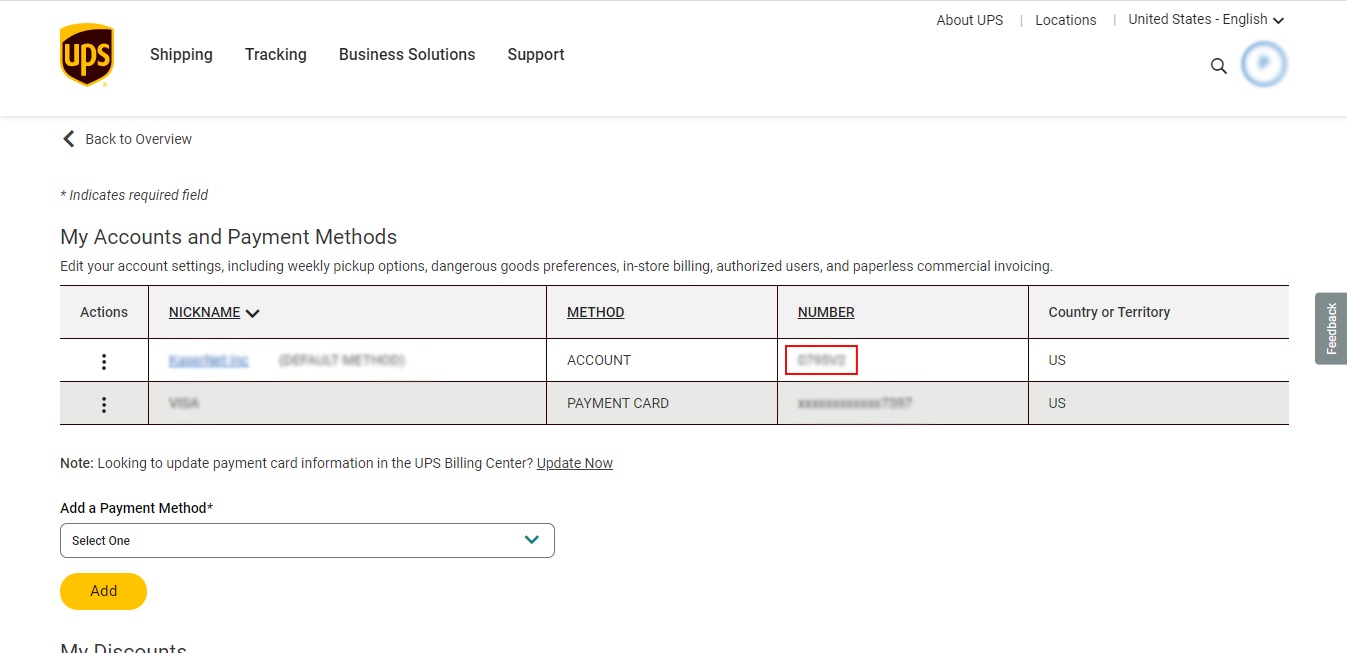 Access Licences No =>