
If you’re running a dropshipping or e-commerce business in 2025 and still juggling between 4 different tabs just to get a shipping label printed… yeah, we’ve been there.
And we built Kommerce so you’d never have to go through that chaos again.
Let’s talk about how this duo is quietly becoming the secret weapon of fulfillment centers, Shopify hustlers, and small biz warriors across the globe.
The Problem: Fulfillment Is a Mess
You’ve got:
✅ Orders coming in from variety different platforms
✅ Shipping labels that need printing
✅ A printer that throws errors like it’s its job
✅ Inventory that syncs slower than a dial-up modem
Sound familiar?
Meet the hardware that does it all…
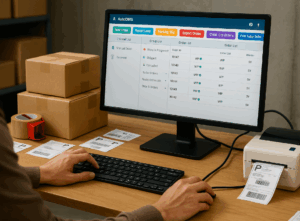
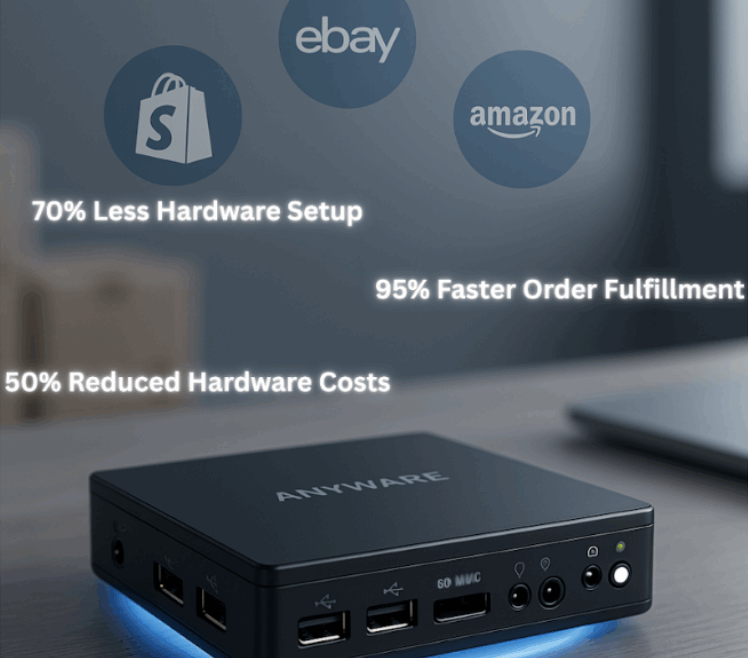
Anyware and AirPrinter are two powerful, plug-and-play hardware solutions designed to automate order fulfillment and shipping—no PC required. Both devices come preloaded with AutoOMS, allowing businesses to manage orders, sync inventory, and streamline shipments directly through Kommerce. Just connect a monitor, keyboard, and mouse, and you’re ready to go.
What’s the difference?
AirPrinter includes built-in label printing capabilities, making it the perfect all-in-one solution for businesses that want to print shipping labels and invoices without needing a separate printer. Anyware, on the other hand, offers the same automation power—minus the built-in printer—so you can pair it with any thermal printer of your choice.
Together or apart, they replace manual workflows with real-time, automated operations, helping you fulfill faster, with fewer errors and zero complexity.
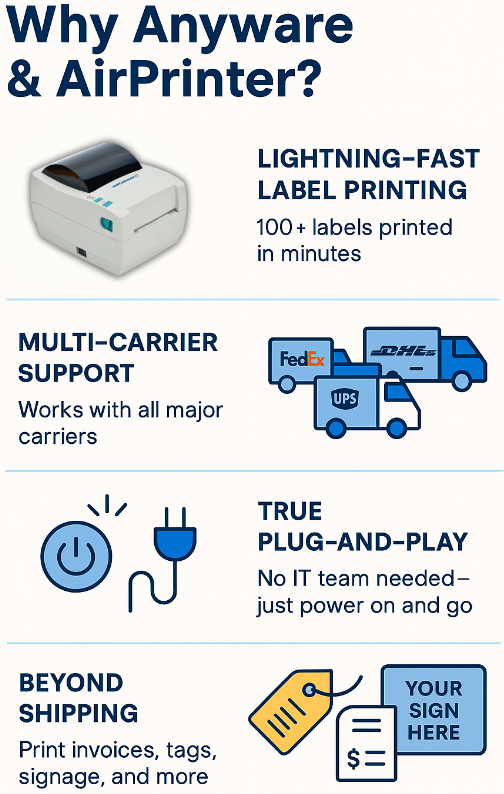
Why Anyware & AirPrinter?
- Lightning-Fast Label Printing – 100+ labels printed in minutes.
- Multi-Carrier Support – FedEx, UPS, DHL, USPS, and more.
- True Plug-and-Play – No IT team needed. Power it on, connect, go.
- Beyond Shipping – Print tags, invoices, receipts, custom signage, and more.
Why Not Just Use a Shipping Platform Like Everyone Else?
| Feature | Anyware + AirPrinter | Traditional Shipping Software |
| Real-time Order Mapping | ✅ Yes | ❌ Manual syncing needed |
| Works Without a PC | ✅ Yes | ❌ Requires desktop access |
| Printing Options | ✅ Instant Labels | ❌ Mostly shipping labels |
| One-Time Cost | ✅ No hidden fees | ❌ Monthly subscriptions |
| Multi-Device Integration | ✅ Built-in with Kommerce | ❌ Separate tools required |
So, unless you love paying monthly fees and clicking through 10 tabs just to get a label, Anyware + AirPrinter is a very obvious upgrade.
AutoOMS in a Nutshell:
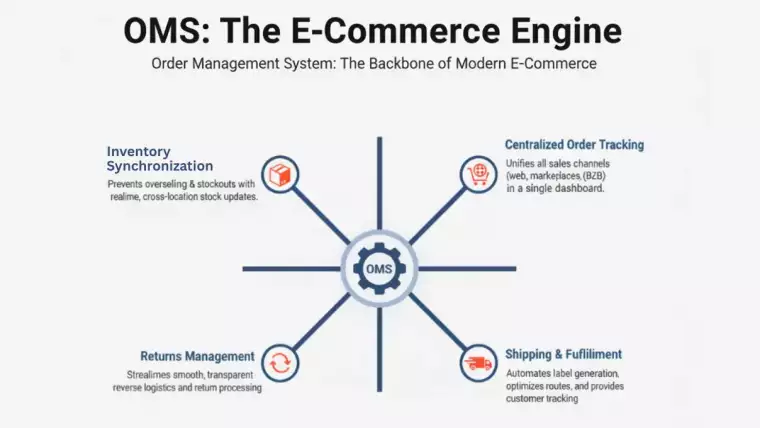
AutoOMS is an advanced Order Management System designed to automate your entire fulfillment process. It syncs orders across multiple platforms, executes policies automatically, generates shipping labels, and keeps track of inventory in real-time. Seamlessly integrated with Anyware, AirPrinter, and Kommerce, AutoOMS ensures that you can manage orders without the manual work, improving speed and accuracy in your order processing.
To connect your AutoOMS with Kommerce, you need to copy the 6-digit code that shows up on your device. Then enter that in your kommerce. Once that is done, any order that comes through the specified Sales platforms will be viewed through your AutoOMS.
What is Kommerce?
Kommerce is an all-in-one solution that simplifies order management, inventory tracking, and shipping across various channels. It automates everything from order fetching to label printing and shipment tracking. With integrations for platforms like Shopify, Amazon, and eBay, along with real-time inventory syncing and carrier shipping flexibility, Kommerce streamlines e-commerce operations, helping you save time and reduce errors.
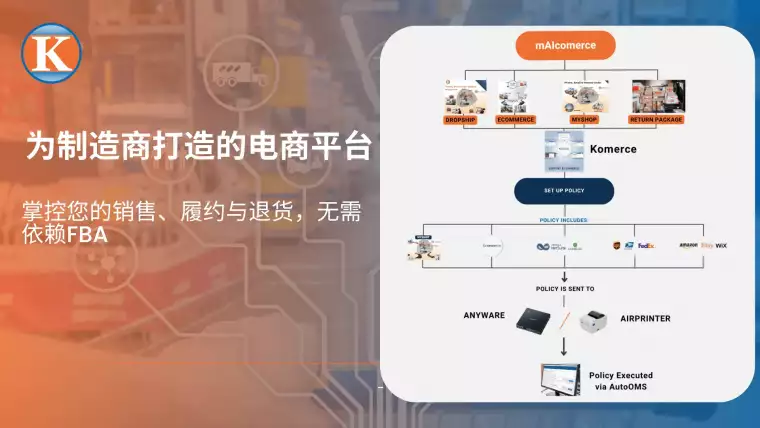
Think of Kommerce as your middleman between AutoOMS and your sales channels. In a nutshell, that means in Kommerce, you set up the policy. Consider Policy as a predefined set of instructions that dictate the stores, marketplaces, Carriers, payment methods, and more of your choice. This policy is then imported to Kommerce, and after linking your AutoOMS with Kommerce, these things are set in motion.
Here’s all you need to do…
- Create a policy (stores, marketplaces, Carriers, payment methods) through the credentials app.
- Import that Policy to Kommerce.
- Activate your device and run the AutoOMS. Use the code displayed and enter it in Kommerce
- Once the 2 software are linked, let the orders roll in. Print the labels, attach them to your packages, and ship on…
What You Can Do With It with mAIcomerce
Whether you’re running a garage-based Shopify empire, a fulfillment warehouse, or a boutique selling on multiple marketplaces, you can:
- 🖨️ ping labels instantly from AutoOMS
- 🧾 Generate labels
- 📦 Track inventory and order status in real-time
- 🏷️ Print product signage and custom packaging materials
- 🔁 Automate repetitive tasks across your ops
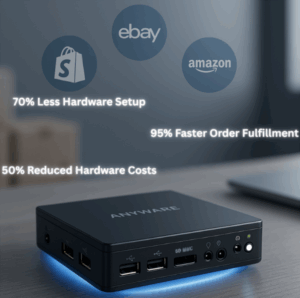
All from one sleek device and one quiet little printer.
Still Wondering If It’s Right for You?
Anyware and AirPrinter are ideal for:
- Dropshippers doing 20–200+ orders a day
- E-com stores scaling up without hiring
- Fulfillment centers wanting speed + simplicity
- Businesses tired of duct-taping 6 tools together
Ready to Work Smarter?
Don’t let slow software, broken printers, or shipping delays kill your vibe.
Step up your fulfillment game with tools designed for sellers who move fast.