
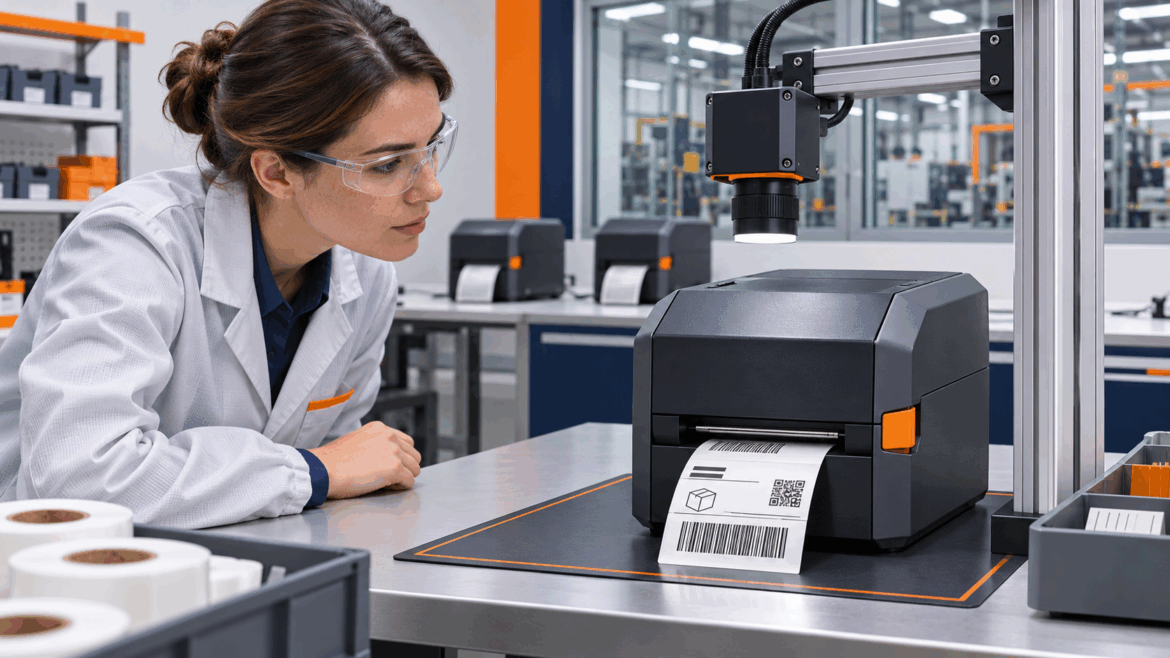
Once a label printer ships through the channel into a remote warehouse, you can’t tell whether its labels are printing correctly — until a bad one bounces the parcel and the customer blames the printer. The dedicated overhead USB camera above the printer verifies every print and flags the requester the moment one fails.
How it works
The camera gives the optical verdict; the printer API adds the device’s own reason.
From a printed label to a verified result — or an alert to the requester — in seconds.
What the blind spot costs you
A label printer rarely dies. It runs out of media, throws a head-open, prints a label too faint to scan — small, recoverable things. But when they slip through unseen, the parcel bounces and the operator blames the printer. A unit that quietly lets bad labels through looks unreliable — and an unreliable reputation is what loses you the next order.
What you get back: more printers sold
Camera-verified printing with instant failure alerts isn’t a support feature — it’s a reason to choose your printer, and to pay more for it.
The label & printer API we work with
AutoOMS speaks to the printer over whatever interface it already offers. Even read-only status delivers most of the value — the camera gives the verdict, the API adds the device’s own reason. Job control is a bonus where the firmware allows it.
Status & telemetry (read)
- Device & online status
- Error / status codes — jam, head-open, paper-out, ribbon-out, over-temp
- Consumable levels — media and ribbon remaining
- Printhead health / odometer, label and cut counts
- Firmware version, model, serial number
Job control (write — optional)
- Submit / queue a print job
- Pause / resume / cancel
- Reprint or re-queue a failed label
- Clear error / reset after recovery
Label formats accepted
ZPL & ZPL II, EPL, CPCL, TSPL, ESC/POS and DPL — plus PDF and PNG for graphic labels.
Interfaces / transports
RAW TCP 9100, IPP, CUPS, the Windows spooler, SNMP (Printer-MIB) for status, and vendor REST / SDK where available.
Verification hooks
- Print-complete / job-done signal
- Darkness / contrast read-back
- Cryptographic Proof-of-Print (SHA-256) of the verified label
It doesn’t cut the channel out — the distributor still runs the floor. It just gives you a line to the hardware you’re financially responsible for.
Start with a pilot
One printer family, one warehouse, one dedicated overhead USB camera. Measure no-fault-return rate and time-to-detect before and after. It’s a pilot, not a program — the numbers come from your own returns data.
KaserNet builds ecommerce operations from order to return. The camera vision engine and the AutoOMS / mAIcomerce response path are part of the product workflow. This is a capability and integration proposal; any live print, label, inventory or accounting action stays under the customer’s control and approval, and the figures come from a pilot.